


Are you facing Magento Site down issue?

Due to installation process there are chances that your store might stop working or you may also see site down.
So before the processing installation you must take back-up of your store by restore the backed-up state and if you don’t have a backup then our below steps will disable the extension.
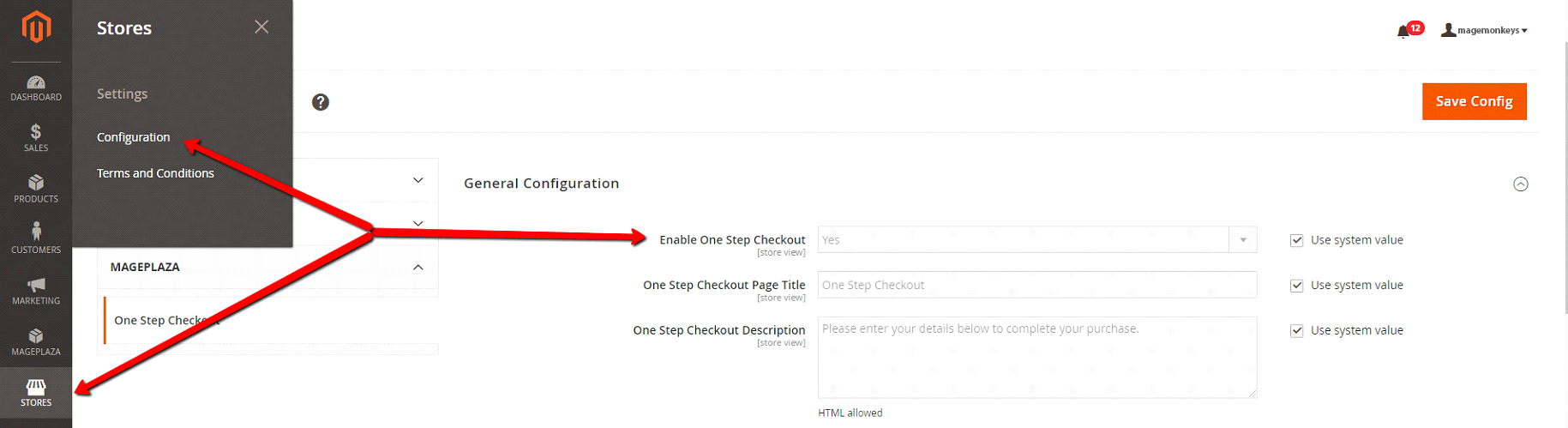
Step 1: Disable extension in backend
Login into Admin, choose Stores/Configuration, open Magemonkeys tab and choose the extension which you want to disable.
Step 2: Disable via command line
Suppose step 1 doesn’t work then,
You can do it by command lines. Before doing this step, make sure that you know how to run command lines.
Iy has nothing to do with our extension or in general with any other extension. If you come across a error like “cannot write”, “permission denied”, “php is not command”, then you need to contact in touch with your developers or your host provider.
Generally, you should run the following commands to disable an extension:
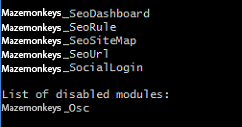
In this case, we will disable Magemonkeys_Osc
php bin/magento module:status ##to list all installed modules
php bin/magento module:disable Magemonkeys_Osc
php bin/magento cache:flush
php bin/magento cache:clean
As per requirement, you can also run module:status again to see if the extension is actually disabled.
If you have other cache services like Redis, Varnish then you must flush cache of those services. Deploy your store if needed.
To ease the investigation process, you can write down the steps you’ve done when installing the extension, take a screenshot of the error and send it to us. We will get back to you.
Fill the form below if you need us to resolve your Magento site down issue.