


How to integrate Salesforce with Magento 2?

You are a Magento 2 store owner and wants to know how to integrate Salesforce with Magento 2 store then this article is for you.
But first the question is what Salesforce is?

Salesforce is a customer relationship management system which is a powerful tool having data related to customers, markets, products or anything else that makes sense. Integrating Salesforce for Store Magento 2 will help you manage all aspects such as the relationship with customers, marketing, advertising so that you can connect your data easily as well as run your business effectively.
Now, Lets quickly learn how to integrate Salesforce with Magento 2!
How to integrate Salesforce on Magento 2
To integrate Salesforce
- Step 1: Sign up the Zapier account
- Step 2: Sign up the Salesforce account
- Step 3: Integrate Magento 2.x
- Step 4: Integrate salesforce o that it can fetch all information from your Magento 2.x store.
Step 1: Sign up the Zapier account
- Signup Zapier
Step 2: Sign up the salesforce account
- Signup Salesforce
- Start with logging into Zapier, choose Make a Zap to start integrating
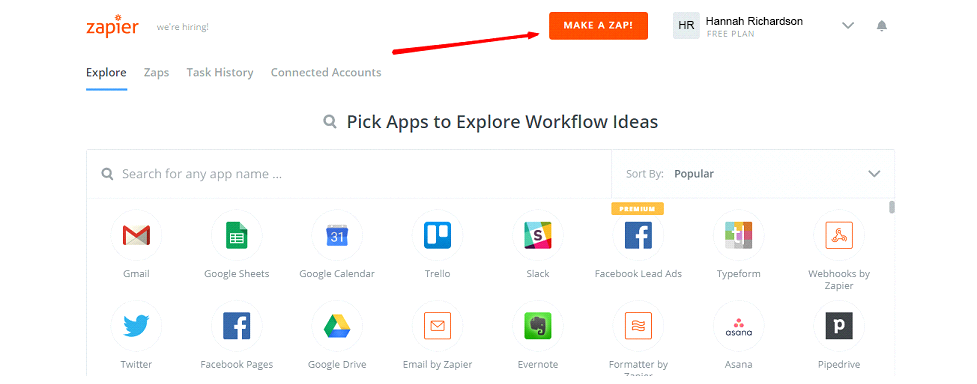
Step 3: Integrate Magento 2.x
- In this set up step, select a Trigger App that you want to integrate with your Magento 2 store.

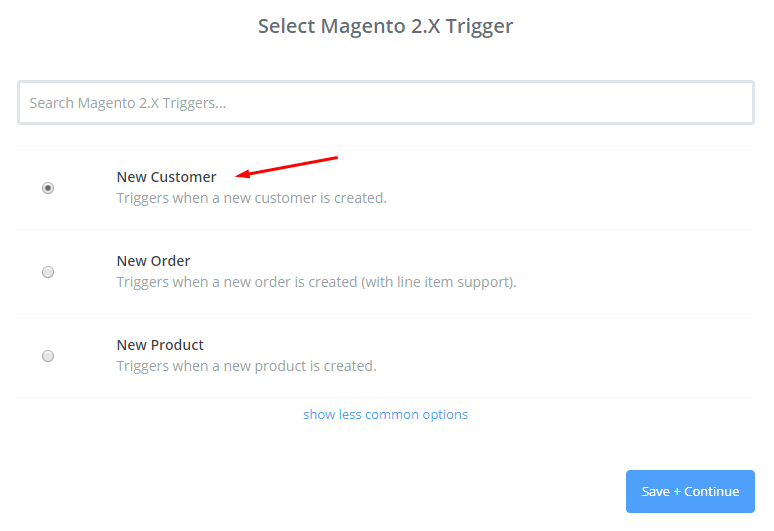
- After that, select Magento 2.x Trigger in the drop-down list such as new customer, then click on save + continue
- Then, you have to connect an account to select Magento 2.x Account for which you have to enter full domain, admin username and admin password of your Magento 2.x store as an image below:
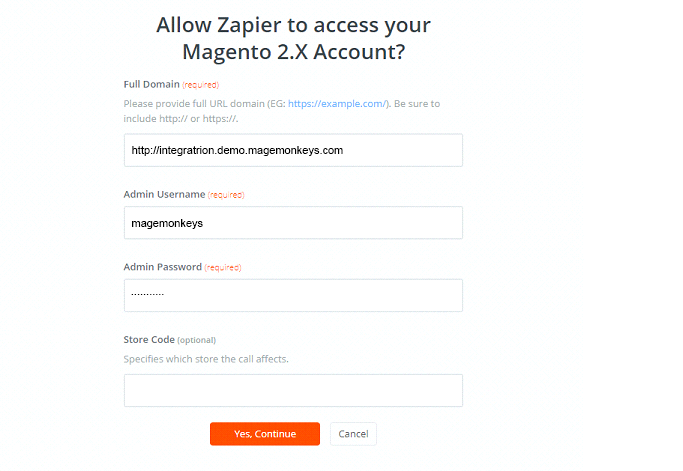
- After generating your Magento 2.x account, your screen will display as the following image, and then click on choose Save + Continue:

- Ok, so your Magento 2.x is tested successfully. Please continue doing the next step.
Step 4: Integrate Salesforce
- In Choose an Action Appfield, select Salesforce
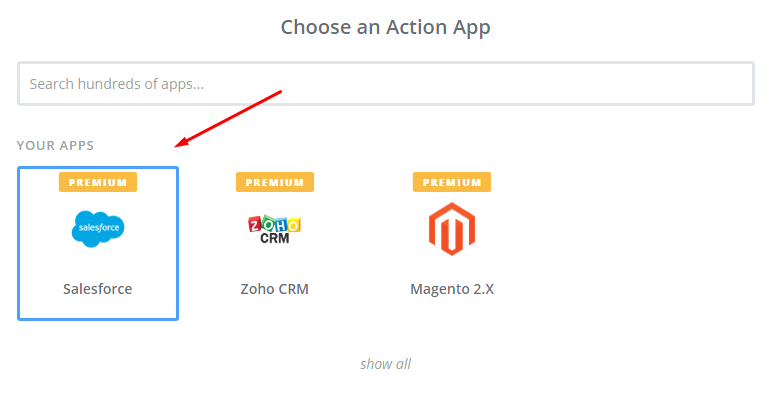
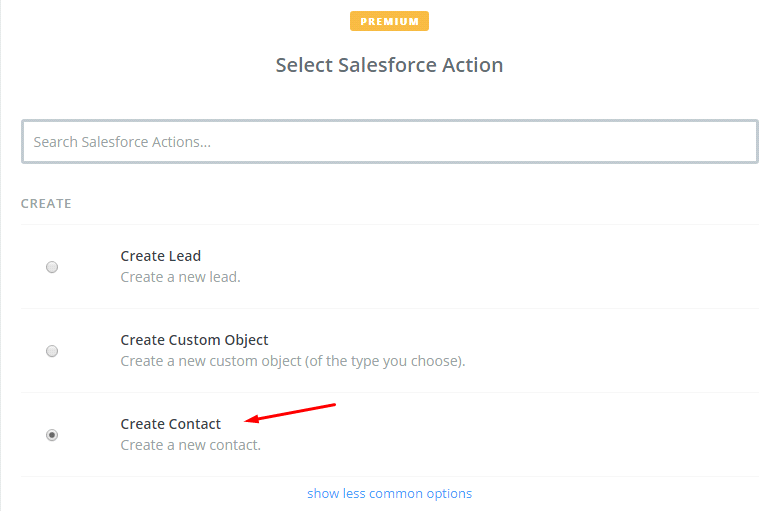
- Then, select Salesforce action as create contact and then click on Continue:
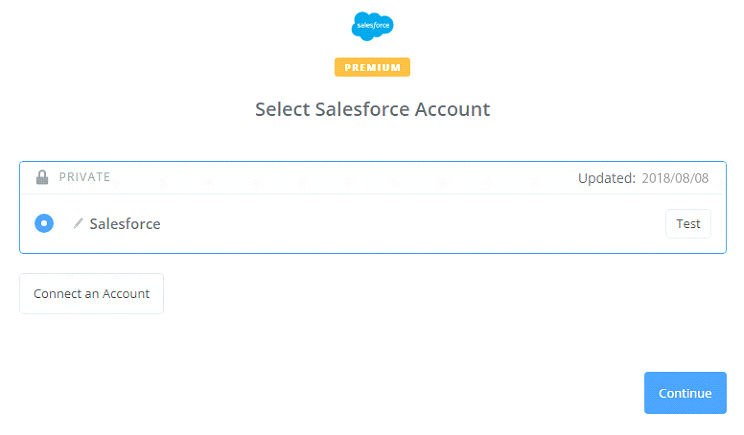
- Further, you need to select Salesforce account by the way: Click on Connect an Account and follow the guide.
Keep on; you have to set up template here. Please Set up salesforce contact, you need to enter all information which are included in that, then, choose Continue box.
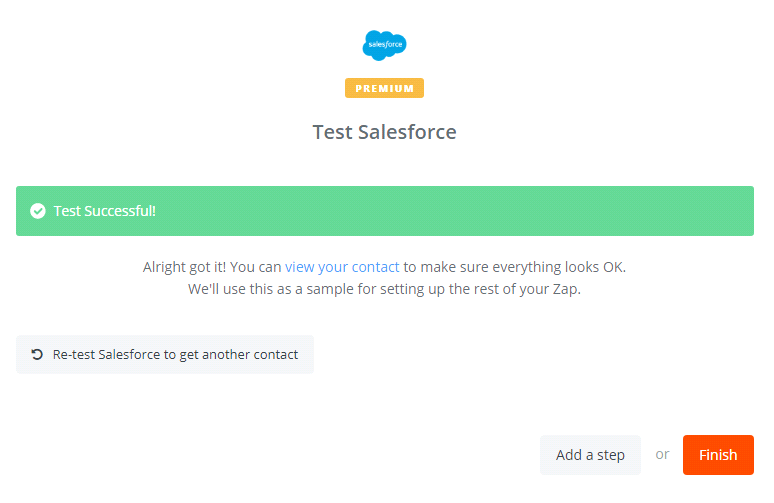
Now, you have tested Salesforce successfully. Finally, click on Finish and then set the name your zap to complete.
- Great! Your Zap is working and from now it will auto-check your Magento 2.x for new customer.
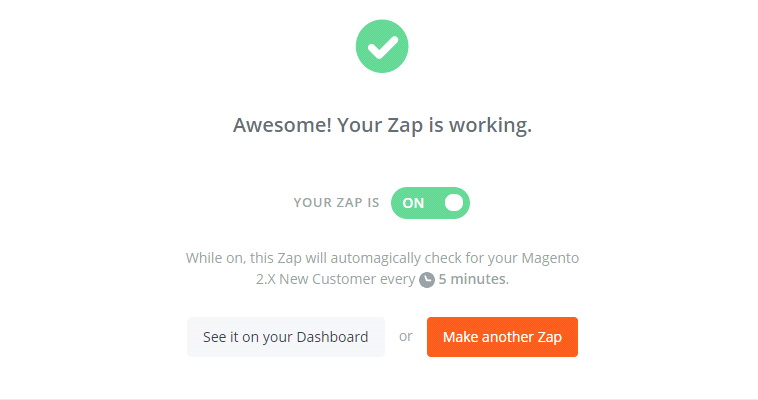
last of all, here is the file which you have just established.
With this we come to the end of tutorial: How to integrate Salesforce with Magento 2.
Salesforce is a customizable platform. If you are not a developer then also you can also use this platform easily by dragging and dropping.
Fill the form below if you need us to connect your Magento store with Salesforce.